> For the complete documentation index, see [llms.txt](https://docs.pocketprotector.xyz/llms.txt). Markdown versions of documentation pages are available by appending `.md` to page URLs; this page is available as [Markdown](https://docs.pocketprotector.xyz/trade-solana-memes/manage-solana-memes-positions-on-pocket-pro-bot.md).
# Manage Solana Memes positions on Pocket Pro Bot
Manage your spot positions easily.
## Manage your Positions
After purchasing spot, you have several options:
* **Broadcast:** Share your purchase with all copiers and followers, or target a specific group chat to keep everyone informed.
* **APE X:** Quickly buy more of the same token you just purchased with this button.
* **Check:** View the performance of your recent trade, including your “then” position, current position, and the change in value.
* **Sell:** Choose to sell the token immediately if you wish
## View your Positions
Once you’ve opened a trade, you can view your positions anytime with the `/positions` command. This will display a summary of your active Spot trades:
* **Balance:** Current market value of your holdings in this token.
* **Price:** Current market price of one unit of the token.
* **MC (Market Cap):** Total market capitalization of the token.
* **Avg. Entry:** Average price at which you bought the token.
* **P\&L (USD):** Profit or loss since buying the token in USD, shown as a percentage and raw value.
## Sell a Token
* Run the command `/sell.`
* Select the token that you would like to sell.
* You can also set a **Limit Order** to define a specific trigger price and the amount of tokens to sell.
* Set your slippage tolerance.
* Choose the percentage of the position you'd like to sell. You can choose from the preset % values or set your own custom value.
## Closing a Position
When you close a position,
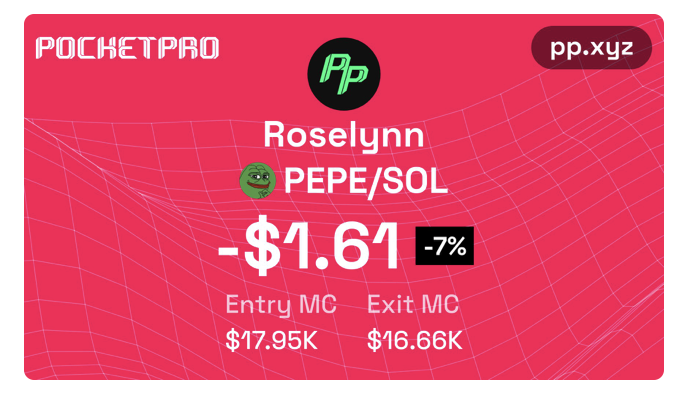
* **Broadcast:** You have the option to "Broadcast" and share your PP card (your trade performance) with your friends and followers in group chats.
* **PP Card:** When you close a position, Pocket Pro Bot automatically generates a summary card that highlights your trade performance.